I’m excited to announce that SFR Analytics is now live in the WordPress plugin repository. After several months of development and a smooth approval process, it’s ready for anyone who wants to track their website traffic without compromising visitor privacy.
Why Another Analytics Plugin?
Fair question. We already have Google Analytics, MonsterInsights, and plenty of other options. But here’s the thing: most analytics solutions send your visitor data to third-party servers. That means Google (or another company) collects, processes, and owns that data.
SFR Analytics takes a different approach. Everything stays on your server. No external API calls, no cookies, no tracking pixels, no data shared with anyone. Your analytics data belongs to you, stored in your own WordPress database.
What Makes It Different
Privacy by Design
Every decision in SFR Analytics prioritizes visitor privacy. IP addresses are hashed (never stored in plain text), there are no cookies to trigger consent banners, and the plugin respects Do Not Track headers. It’s GDPR-compliant by default, not as an afterthought.
Smart Bot Detection
Not all traffic is human. SFR Analytics filters out search engine crawlers, AI bots, monitoring services, and headless browsers automatically. It uses a two-layer approach: pattern matching against 200+ known bot signatures, plus JavaScript verification to confirm real browser execution. Your dashboard shows genuine human visitors, not noise.
Campaign Tracking Built In
The built-in UTM link builder makes it easy to create tracking URLs for marketing campaigns. Pick a page from your site, choose a source and medium (Facebook, newsletter, Google, etc.), and generate a ready-to-use link. When visitors arrive via those URLs, campaign performance is tracked and displayed on your dashboard with source and medium breakdowns.
Everything You Need in the Dashboard
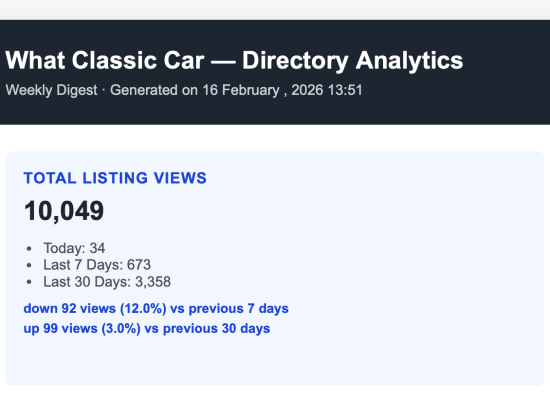
Views, visitors, sessions, bounce rate, pages per session — all the core metrics with period-over-period comparison. You get traffic charts, top content, referrers, entry and exit pages, device types, browsers, operating systems, and geographic distribution (if you’re using a CDN like Cloudflare). The dashboard is fast, clean, and shows only what matters.
REST API for Developers
Every piece of data shown in the dashboard is also available via authenticated REST API endpoints. Build custom reports, integrate with other tools, or export data programmatically. It’s all there.

What’s Next: Multi-Site Hub
If you manage multiple WordPress sites, I’m working on something for you. SFR Analytics Hub will consolidate data from all your sites into a single dashboard. Switch between sites instantly, compare performance across your network, and get a bird’s-eye view of everything you manage.
The free version (coming to the WordPress repository) will support up to 3 sites. For larger agencies and teams managing more sites, there will be Pro licensing options with higher limits.
Hub is currently in testing and should be available within the next few weeks.
Try It Now
SFR Analytics is free and available in the WordPress plugin repository. Search for “SFR Analytics” in your WordPress admin, or visit the plugin page on WordPress.org.
Install it, activate it, and your data starts collecting immediately. No configuration needed — though you’ll probably want to explore the settings to exclude your own IP address and set your preferred data retention period.
If you value visitor privacy, want to own your analytics data, or you’re tired of cookie consent banners just to see your traffic stats, this might be exactly what you’ve been looking for.
Read more about this plugin’s features
Questions or feedback? I’d love to hear from you. Drop a comment below or reach out via the plugin support forum.