
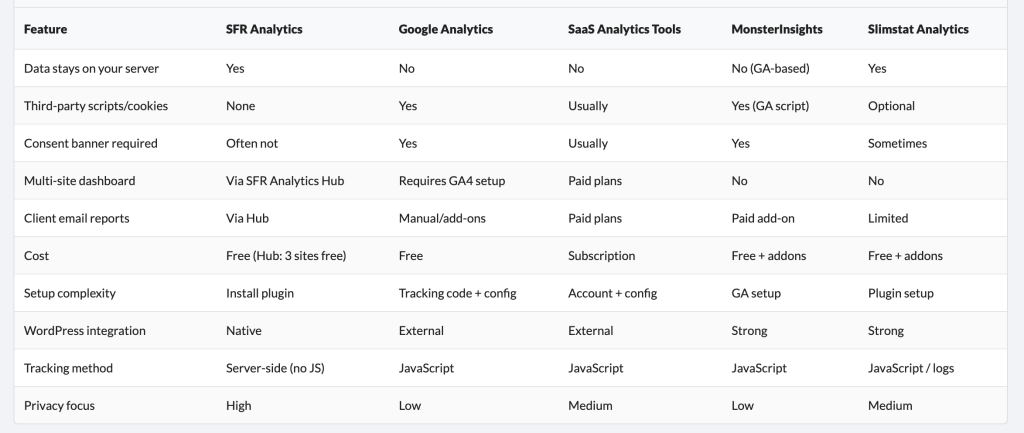

SFR Analytics – Privacy-first analytics for WordPress
Know what’s happening on your WordPress sites without sharing data with anyone.
There's always a solution…..
There's always a solution…..

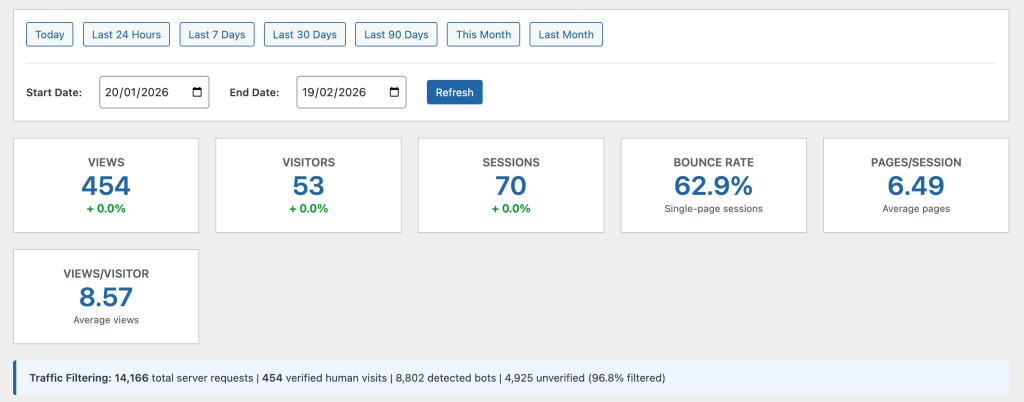
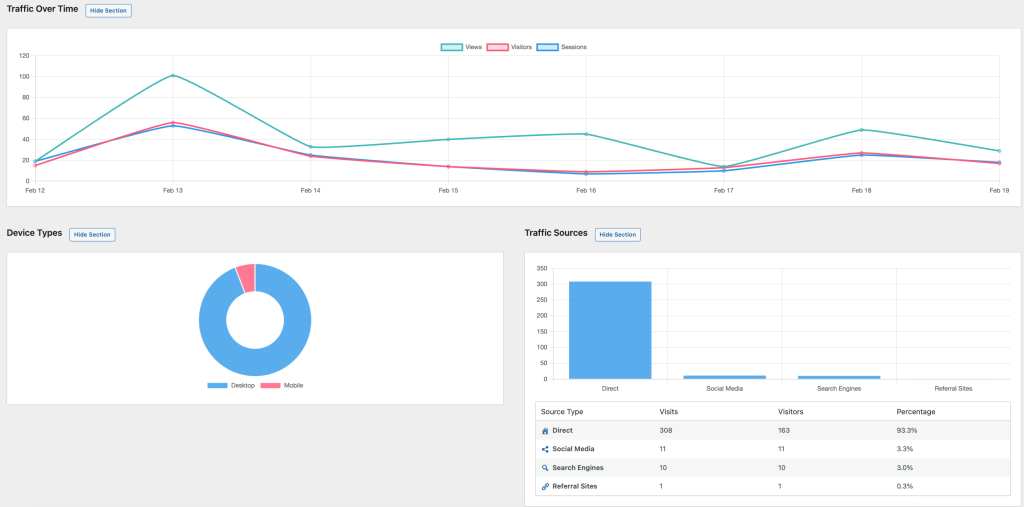
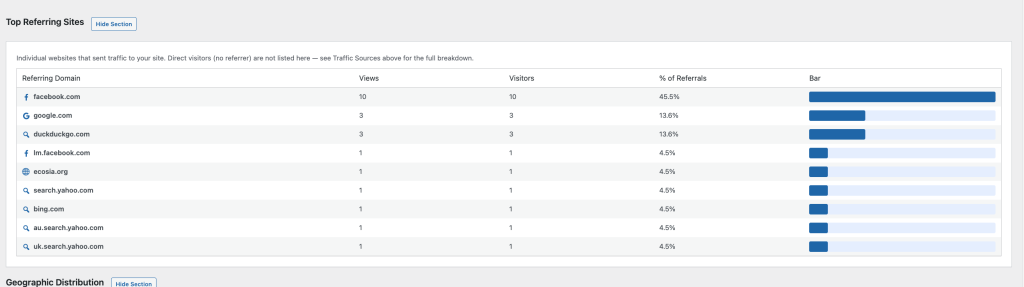
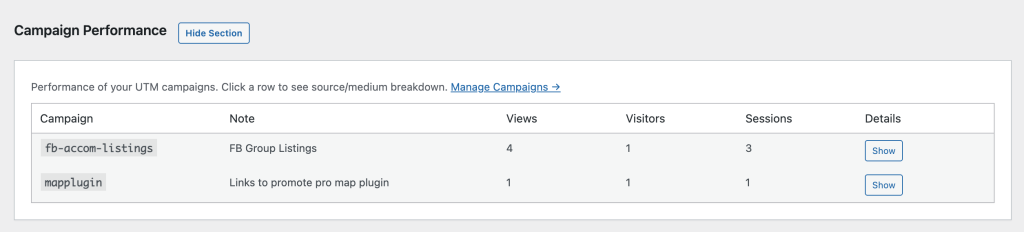
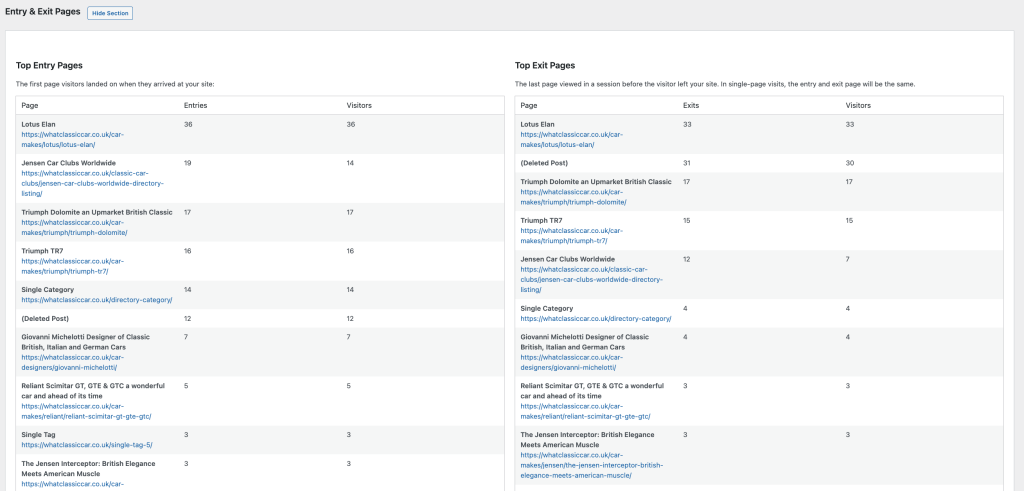
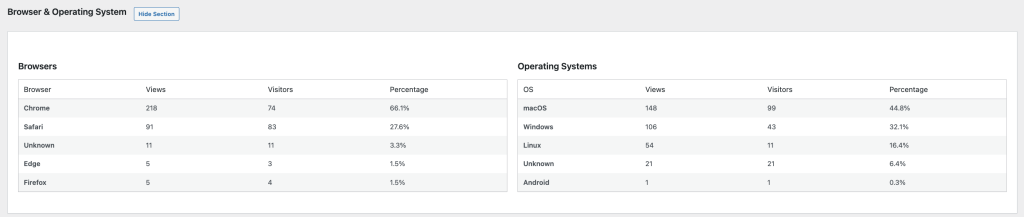
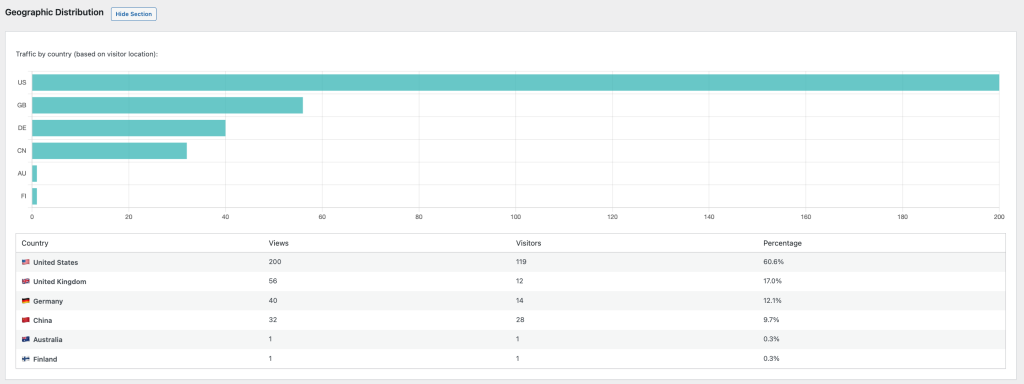
Beautiful Analytics Dashboard – View your data with colourful charts and graphs
SFR Directory Analytics (Free) provides comprehensive analytics tracking for popular WordPress directory plugins. Understanding which listings attract visitors helps you optimise content, improve user experience, and make data-driven decisions for your directory website.
Track page views for individual listings and categories with beautiful, easy-to-understand dashboards that reveal exactly what your visitors are interested in.
Know what’s happening on your WordPress sites without sharing data with anyone.

Time to make your website 50× faster.

Finally, a free directory plugin WordPress users can rely on