

Thamara – Let’s Grow Together
Time to make your website 50× faster.
There's always a solution…..
There's always a solution…..

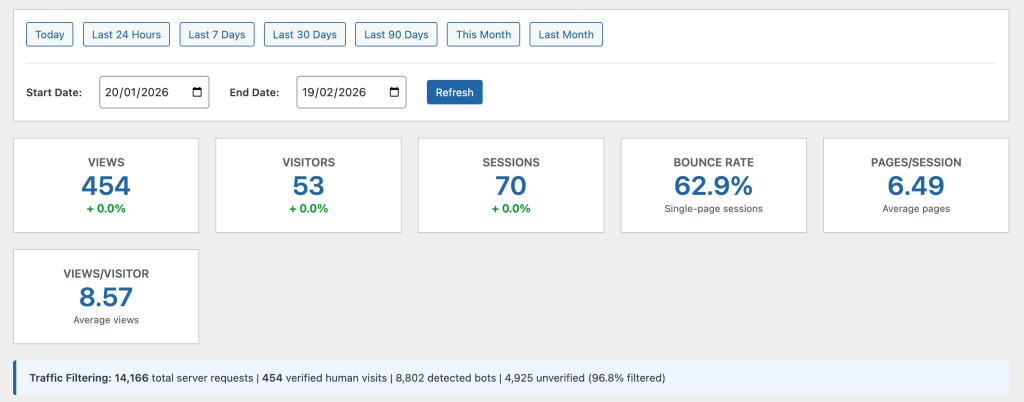
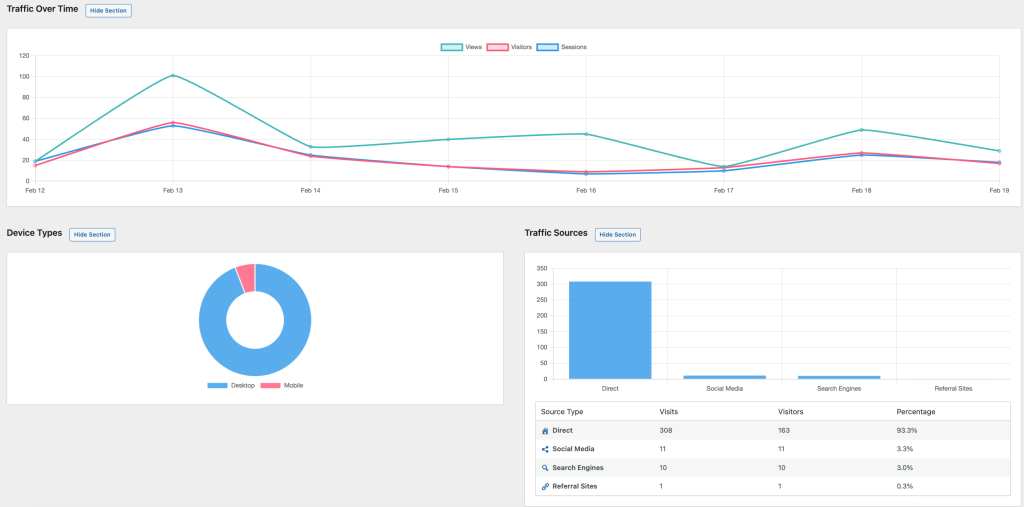
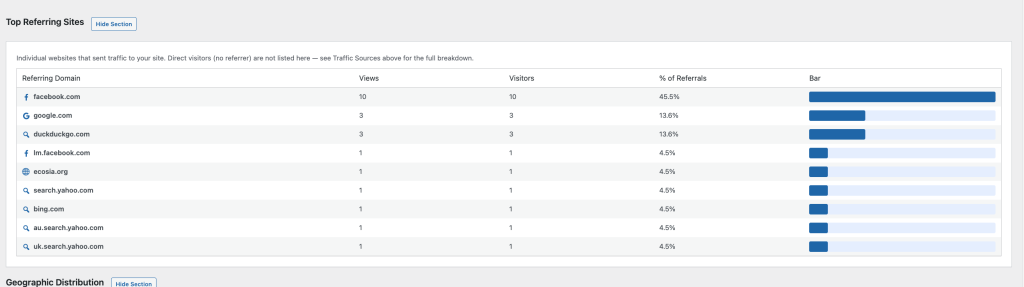
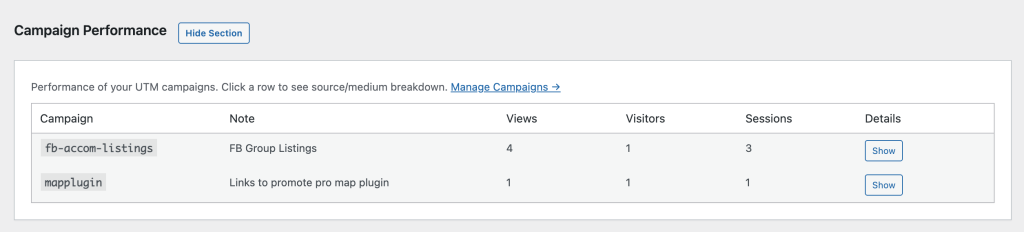
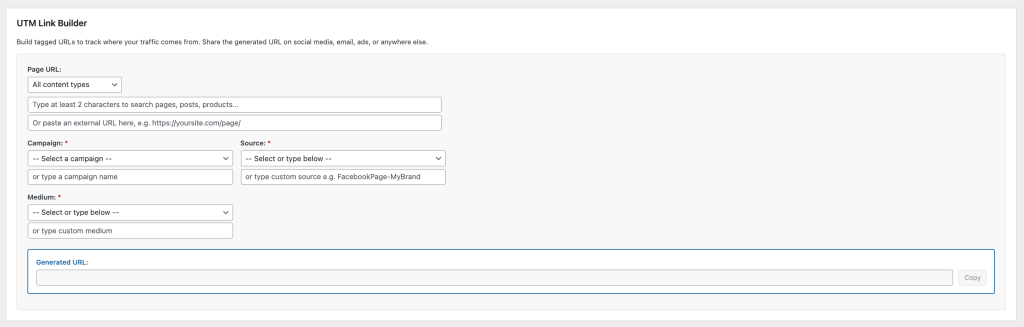
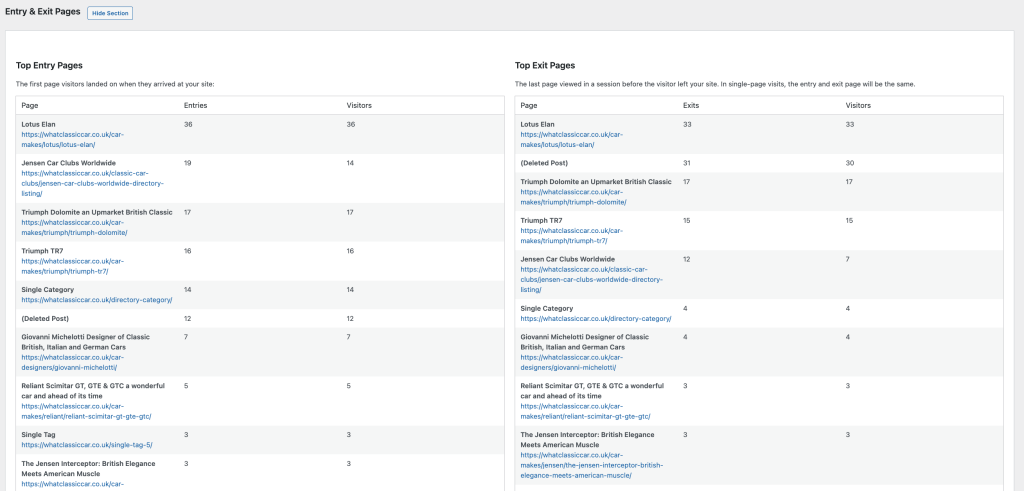
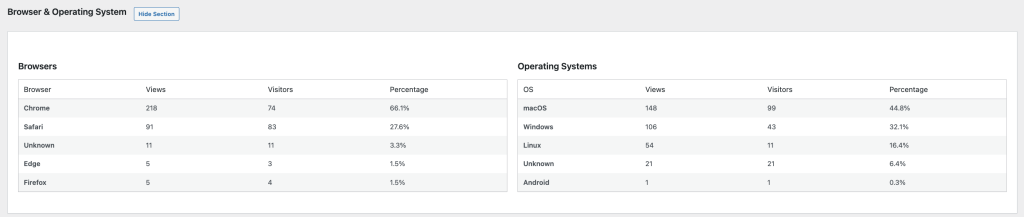
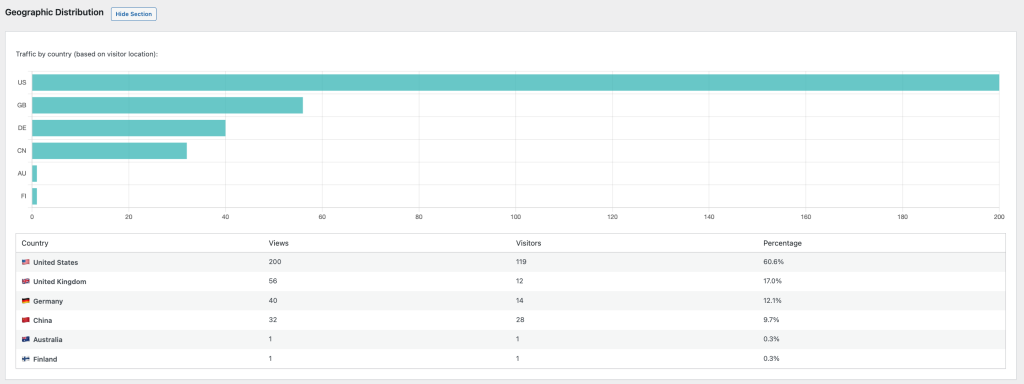
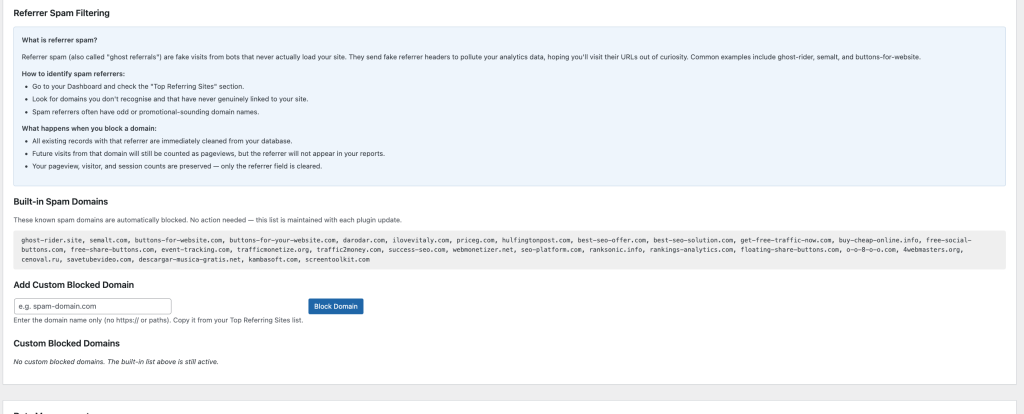
Know what’s happening on your WordPress sites without sharing data with anyone.
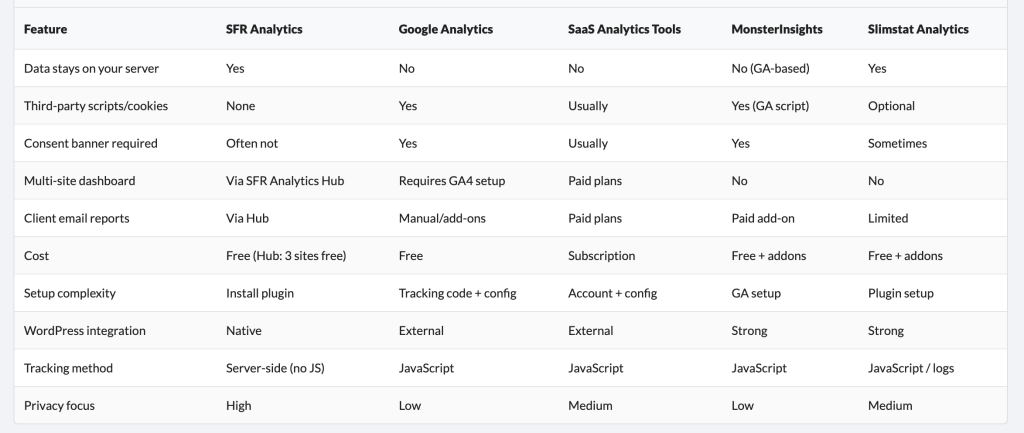
SFR Analytics gives you clear, actionable website statistics directly inside your WordPress dashboard. No external services. No tracking scripts from third parties. No Google. Your visitor data stays on your server, under your control.
For agencies and developers managing multiple sites, SFR Analytics Hub brings everything together in one central dashboard — so you can monitor all your sites without logging in to each one.
Both plugins are free. The Hub includes 3 sites at no cost, with affordable licence keys to add more. More information about the SFR Analytics and SFR Analytics Hub WordPress plugins
Most website owners rely on Google Analytics or similar third-party tools. This means:
SFR Analytics takes a different approach.
Time to make your website 50× faster.

The all-in-one WordPress caching plugin that speeds up your website

Finally, a free directory plugin WordPress users can rely on